



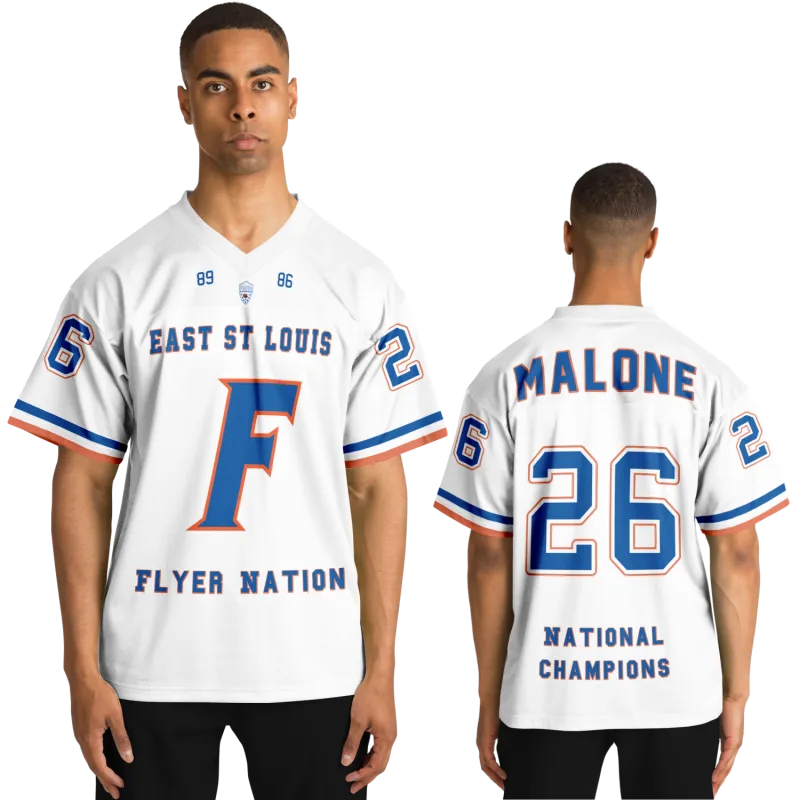
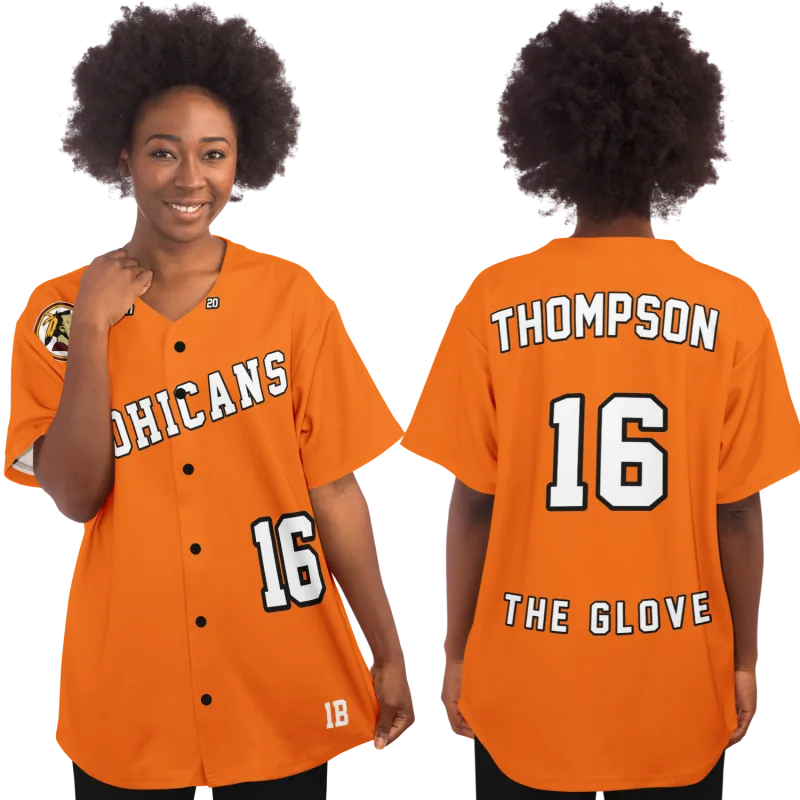

Every team photo from the late '90s has the same problem: the colors are off. Your home jersey was a deep, rich green, but in the scan it reads like a murky gray. The print sat in a drawer or a yearbook for nearly three decades, and somewhere along the way, the film faded. You still remember how those colors looked under the Friday night lights. That shade is burned into your memory. But turning that memory into a custom jersey school colors hex code you can type into a design tool is a different skill entirely.
This guide is for the former athlete who wants to bring back an old jersey but only has a faded photo (say, from 1997) to work from. You don't need to be a designer. You just need a photo, a free tool or two, and about twenty minutes.
Why School Colors Hit Different
Before we get into hex codes, let's talk about why this matters at all. School colors aren't decoration. They're the first thing you saw when you walked into the gym on game day. They're what you painted on your face for the rivalry game and what your mom wore on a hand-painted T-shirt in the stands.
Color is memory's shorthand. A single flash of maroon and gold can pull you back to a homecoming crowd faster than any photograph can. Psychologists have long studied how color anchors memory. The same way a song can drop you into a specific afternoon, a color can drop you into a specific season of your life.
That's why a jersey that gets the colors wrong feels wrong, even if you can't name why. Your eye knows the difference. When you build a custom jersey, getting the color right is the difference between "that's a nice jersey" and "that's our jersey."
Pull Your Custom Jersey School Colors Hex Code From a Faded Photo
Here's the good news: you don't need any special training to pull a color out of a photo. You need one of three things, and at least one of them is free.

Option 1: A color picker (eyedropper) tool — free and instant. Every phone and computer has one built in, and there are dozens of free web tools. Open your photo, tap or click the color you want, and the tool hands you a six-character code. That code is the color. On an iPhone, open the photo and use the built-in eyedropper in the markup tool. On a computer, a free "image color picker" site will do it in a browser with zero install.
Option 2: Photoshop or a free equivalent. If you have Photoshop, the eyedropper tool does this in one click. If you don't, free tools like GIMP or Photopea work the same way. The idea is the same: hover over the color, click, read the code.
Option 3: A phone app. Search "color picker" in your app store and you'll find plenty of free ones made for this. Some let you point your camera at a physical object — like that old letterman jacket still hanging in the closet — and grab the color live. If that jacket is the thing you most want to see again, our guide to rebuilding a letterman jacket from a yearbook photo is a good place to start.
A tip that matters more than the tool: pick a spot in the photo that isn't shadowed or blown out by the flash. Aim for the flat part of the chest or sleeve, not the wrinkled fold. Faded photos lean darker and warmer than the real thing, so if the color feels a little muddy, that's the fade talking, not your memory. Trust your memory and nudge it brighter and truer.
Hex Codes in Plain English
So what is a hex code, anyway? It's just a recipe for a color, written in a way computers understand. A hex code like #0F2B46 is three pairs of characters. The first pair is how much red, the second how much green, the third how much blue. Each pair runs from 00 (none) to FF (all of it).
Don't let the letters and numbers intimidate you. You don't have to build a hex code from scratch. That's what the color picker does for you. Your only job is to copy it and paste it where it's needed. If you want to understand the system behind the scenes, Wikipedia has a plain-language breakdown of web colors and how those six characters map to the color you see on screen.
Think of it this way: the hex code is just the color's phone number. You don't need to know how the wires work to call it.
Type Those Colors Into the iPlayedFor Design Wizard
Now the part that actually gets your jersey made. iPlayedFor's design tool lets you set the colors on your jersey directly, and a hex code is one of the cleanest ways to do it.
Here's the flow. Head to the iPlayedFor design tool and choose your sport (football, basketball, baseball, or softball) then start building. When you reach the color options for the body, sleeves, and lettering, paste the hex code you pulled from your photo into the color field. The preview updates on the spot, so you can see your old green or maroon come back to life before you pay a cent.
Add your name, your number, your colors — that's the whole idea. If you're weighing what belongs on the finished shirt, our post on name, number, and school colors on a custom basketball jersey walks through it in order. It's a custom jersey, inspired by the one you wore, built for the wall or the reunion. And because these jerseys are made with colors that never crack, peel, or fade, the color you finally nailed down stays vivid for years.
At $79.99, it's one of the more affordable ways to hang a real piece of your playing days on the wall.
What If the Photo Is Too Far Gone?
Sometimes the photo is so faded that no tool can rescue it, and that's okay. You have backup sources.
- Check the yearbook. Libraries and alumni groups often have scans that held up better than the print in your attic.
- Ask a former teammate. Someone in the group chat has a homecoming picture with truer colors than yours.
- Search the school colors. Most schools have their colors listed online, sometimes with the codes already attached on a booster or athletics page.
- Trust the school colors you remember. If the school is known for "Kelly green and white," that green is a known color with a known code — and a quick search will find it.
The goal isn't forensic precision. It's a jersey that, the moment you open the package and see it, feels like you're back in the locker room. And if you want to rebuild the whole look rather than just the colors, our guide to recreating a throwback jersey from your high school photos picks up where the color picking leaves off.
Your Colors Are Waiting
Your school colors are more than paint on a wall or a pair of socks. They're a record of who you were and the people you shared it with. Pulling them out of a faded 1997 photo and turning them into a code is a small task with a big payoff — because when that jersey arrives and the green is finally right, it's not just a shirt. It's a memory you can wear.
Ready to see your colors again? Open the design tool and paste in that hex code. It takes about twenty minutes, and it's $79.99 for a jersey that finally looks the way you remember.
See also: why high school sports still matter so much to adults | a custom sports shadow box for a former athlete | personalized sports gifts that actually make a former athlete feel seen