

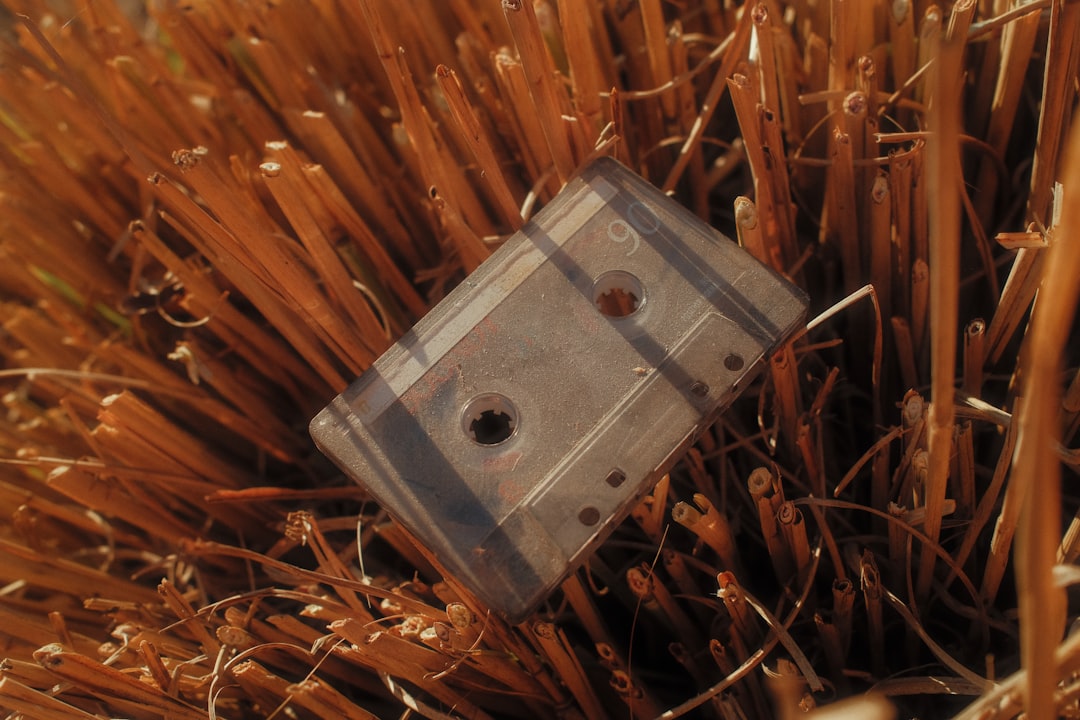




There is a version of you that your kids have never met.
Not the parent who drives carpool and knows where the good seats are at every youth game. The other one — the one who could read a blitz before it developed, who caught a crossing route in traffic, who came off the bench in the fourth quarter and changed something. That version existed. Other people watched it happen. And somewhere, there is footage.
Knowing how to find old high school game film is half instinct and half detective work. The tapes didn't vanish — they drifted. Into a coach's storage unit. Into a school AV closet that nobody has opened since the Bush administration. Into a teammate's mom's basement in a box labeled "misc." The footage is almost certainly still recoverable. You just need to know where to look and, once you find it, how to pull it into the present before the tape fully gives out.
This guide covers both halves: where to search, and what to do when something turns up.
Part One: Finding the Footage
Start with Hudl — Even for Old Footage
If you played any time after roughly 2010, Hudl is the first call to make. The platform became standard in high school athletics around 2012–2014, and a substantial portion of schools that adopted it early uploaded historical footage retroactively. More importantly, even if your school only started using Hudl after your graduation, your old coaches may have uploaded archives when they migrated away from DVDs.
The process:
- Create a free Hudl account using the email address associated with your high school years if you still have access to it — this sometimes auto-connects you to your former team's profile.
- Search your high school's name directly. If a team profile exists, you can sometimes browse archived game playlists without needing coach-level access.
- If the team profile is locked, message the current head coach through the platform. Explain that you're a former player looking for archived footage from a specific season. Most coaches respond, and many are genuinely happy to help — especially if they can pull it up without extra work on their end.
One thing to know going in: Hudl does not guarantee indefinite storage of older footage. Accounts that have been inactive for several years are sometimes purged. If someone tells you the footage "used to be there," that may be accurate — which is exactly why moving quickly matters.
Call the Coach Directly
This step feels obvious and gets skipped constantly. Don't skip it.


High school coaches — especially longtime ones who ran the same program for a decade or more — are notorious for holding onto film. Not on the cloud. In a filing cabinet. On a shelf in the garage. On a stack of DVDs or VHS tapes in a bag next to the projector they never returned to the school district.
Our team recommends going through the school's athletic department website to find current contact information, then reaching out directly with specifics: the season, the year, the approximate number of games. "I played for Coach [Name] during the 2003 season — I'm trying to track down game film from that year" is a message that takes 30 seconds to write and occasionally produces a box of tapes someone ships to your door.
If your original coach has retired or moved on, find out who took over the program. Current coaches often inherit physical archives without fully knowing what's in them. A request from a former player is sometimes the thing that makes someone actually open a storage closet for the first time in years.
Contact the School's Athletic Department and AV Room
Schools are legally required to maintain certain records for specified periods, but game film is not usually in that category — which means what gets kept varies wildly by institution and by whoever was in charge of storage at the time.
That said, there are two specific departments worth contacting:
- The athletic director's office. They may have physical archives, especially for teams that had notable seasons. Championship years, playoff runs, and rivalry games were more likely to be preserved intentionally.
- The AV department or media center. Before everything moved to the cloud, schools maintained physical film and tape libraries. Someone who worked in that room for twenty years sometimes knows exactly where the 1998 football season is sitting.
Call rather than email. Email gets buried. A phone call to the main school number, asking to be transferred to the athletic department, produces a live person who can either answer your question or transfer you to someone who can.
Search Local TV Station Archives
This one surprises people. Local news stations in mid-sized markets frequently covered high school sports — not just championship games, but regular season matchups that had regional significance. If your team appeared in a game that made the evening sports segment, that footage may be sitting in a broadcast archive.
The Association of Moving Image Archivists maintains resources on how to contact regional archives and broadcast stations for historical footage requests. The process varies by station and market, but most local affiliates have someone who handles archival inquiries.
What you are looking for: B-roll footage from sideline cameras, halftime highlights, and in some cases full game recordings that were never broadcast but were captured for the evening segment.
Be specific in your inquiry. Give the station the date, the teams, and the rough time period. A request that says "I'm looking for footage from a varsity basketball game between Lincoln High and Roosevelt High on February 14, 2002" is answerable. A request that says "do you have any old high school sports footage" is not.
Go Through Former Teammates
This is the most underused channel and frequently the most productive one.
Parents filmed games. Always. With camcorders, with VHS-C tapes, with whatever handheld device existed at the time. Some of that footage got dubbed onto standard VHS and labeled with a date. Some of it is still in cases in someone's living room. Some of it ended up with the family of whoever was playing the most that night.
The fastest way to activate this network is through whatever social media group, class reunion page, or athletic alumni channel already exists for your school. A single post that says "Looking for game film from the [year] [sport] season — anyone still have tapes?" typically generates responses within 48 hours. You are not the only person in your graduating class who has been thinking about this.
Kendra M., 41, played point guard for her high school basketball team in suburban Ohio. She had spent three years assuming the footage was gone before she posted in a Facebook group for her graduating class on a Tuesday night. By Thursday morning, two different teammates' parents had responded — one with VHS tapes of the full regional tournament run, one with a camcorder tape of the regular season opener that Kendra had forgotten existed. She didn't recognize herself at first. Then she did.
Part Two: Digitizing What You Find
Understand What You're Working With Before You Do Anything
Not all tape degrades at the same rate, and not all formats are equally recoverable. Before you invest in digitization, assess what you have.
VHS tapes from the 1980s through early 2000s are the most common format for game film from that era. They degrade through a process called hydrolysis — the magnetic coating absorbs moisture and begins to shed. A tape that has been stored in a dry, cool, dark environment may play almost perfectly. A tape that lived in a garage through fifteen summer cycles in Georgia may need professional restoration before playback is even possible.
Common warning signs of tape degradation: - White or gray powder on the tape edge - A musty or vinegar-like smell when you open the case - Visual distortion, tracking problems, or audio dropout on playback - Physical warping of the cassette shell
If you have any of these, do not attempt to play the tape on a standard consumer VCR before consulting a professional. A tape that is shedding will deposit material on the playback head, potentially damaging both the head and accelerating the tape's own deterioration.
Camcorder formats — VHS-C, 8mm, Hi8, MiniDV — require format-specific playback equipment. A teammate's parent who filmed your games in 1999 almost certainly used an 8mm or Hi8 camcorder. These tapes cannot be played in a standard VHS deck. You need either the original camcorder or a compatible player to play them back before capture.
Professional Digitization Services
If the tape is a standard VHS and in reasonable condition, professional mail-in services are the most hands-off option. The three most accessible are:
Legacybox handles VHS, 8mm, Hi8, MiniDV, and several film formats. Tapes are mailed to their facility, digitized by technicians, and returned with the originals plus digital files on a thumb drive or cloud download. Pricing runs roughly $25–$50 per tape depending on the service tier. Turnaround is typically 3–8 weeks. For game film, the standard digitization option is sufficient — you do not need the premium color-correction tier unless the footage is severely degraded.
Costco Photo Center offers a digitization service through a partnership with YesVideo at prices that are competitive with Legacybox for members. Drop-off is in-store if a Costco near you participates. Turnaround is comparable. The output file quality is adequate for personal use and sharing.
Local video transfer shops — these vary significantly in quality, but a shop that has been in business for more than ten years and specializes in tape-to-digital conversion often produces better results than mail-in services for tapes with marginal condition. A local technician can preview the tape before committing to a capture, which matters when the footage is one-of-a-kind. Search "VHS to digital [your city]" and look for shops with reviews that specifically mention damaged or old tape recovery.
DIY Digitization with a Capture Card
If you own a functional VCR or can borrow one, the DIY route is faster and cheaper — and for a healthy VHS tape, produces output quality that is largely identical to what a professional service delivers.
What you need:
- A working VCR with composite (RCA) or S-Video output
- A USB video capture card — the Elgato Video Capture or Magewell USB Capture devices are reliable and widely available for $30–$100
- Free software: OBS Studio handles the capture on both Mac and Windows at no cost
- Storage: a 90-minute VHS tape at standard quality produces roughly 4–8 GB of video depending on your capture settings
The process is straightforward. Connect the VCR's output to the capture card's input using RCA cables. Connect the capture card to your computer via USB. Open OBS, set your video source to the capture card, press record, and press play on the VCR simultaneously. The software records in real time.
One note on quality expectations: you are not recovering HD footage that the tape secretly contains. You are recovering what the tape actually captured — standard definition, 4:3 aspect ratio, with whatever grain and tracking artifacts the original recording had. The nostalgia is part of it. Your daughter does not need to see you in 4K to understand that you could play.
File Formats and Where to Store What You Capture
After digitization, you will have a large video file — typically an MP4 or MOV. The three things to do with it immediately:
- Back it up in two places. One local drive (an external hard drive kept at home) and one cloud location (Google Photos, iCloud, or a Dropbox folder). A digitized file that exists in only one place is almost as fragile as the original tape.
- Keep the original tape. Do not discard it after digitization. Storage technology continues to improve, and a tape that produces a marginal capture today may produce a cleaner capture in five years with better equipment or restored condition techniques.
- Share it while it still surprises people. Text the clip to your old teammates before you overthink what to do with it. The reaction is the point.
What to Expect on Quality
This is worth naming directly because the gap between expectation and reality occasionally disappoints people who have been carrying the memory at higher resolution than the camera ever captured.
Standard VHS game film from the 1990s was shot with consumer or prosumer camcorders from the sideline or the top of the bleachers. The image is often shaky. The zoom is inconsistent. Night games look murkier than day games. Interior gymnasiums created specific lighting challenges that the cameras of that era handled poorly.
None of that matters once you see yourself moving.
There is a specific moment, usually about forty seconds into the first playback, where the recognition hits — that's your number, that's your stride, that's the play you still remember in detail — and the image quality becomes completely irrelevant. In our experience, nobody who has recovered game film has ever complained that it didn't look good enough.
Your jersey is still out there waiting.
Design yours in minutes and see your name and number the way you remember it.
Frequently Asked Questions
How far back can I realistically find high school game film?
For VHS-era footage (roughly 1980–2005), recovery depends almost entirely on whether a specific tape was kept and how it was stored. There is no central archive — the tape exists if someone held onto it. Hudl archives realistically begin around 2012 for most schools. DVD-era recordings (2000–2012) are the most inconsistently preserved because they depended on individual coaches burning and storing discs. The further back you go, the more the search relies on direct human outreach — coaches, teammates' families, local TV stations — rather than digital platforms.
What does professional digitization actually cost for a typical VHS tape?
Mail-in services like Legacybox price individual VHS tapes in the $25–$50 range per tape, with discounts for multi-tape orders. Local shops vary from $15–$40 per tape. The DIY capture card route costs $30–$100 upfront for the hardware and nothing per tape after that. For a single tape with footage that matters, the professional service is worth the cost simply for the peace of mind of having a technician handle a tape you cannot replace.
Can I recover footage from a VHS tape that won't play anymore?
Sometimes, yes — but it requires a professional with tape restoration experience, not a standard digitization service. Tapes that have suffered significant hydrolysis (the magnetic coating is shedding) can sometimes be baked at low temperatures using a process called baking, which temporarily re-binds the coating and allows one playback capture. This is not a permanent fix, and it is a last resort for tapes with significant degradation. A reputable local tape restoration specialist can assess whether a specific tape is a candidate for this process before any attempt is made. Search "video tape restoration" plus your city and look for shops that specifically mention restoration work rather than just standard transfer.
Is there a way to find footage if I don't know anyone who kept tapes?
Start with the school's athletic department and current coaching staff — this produces results more often than people expect. Then search for your school on Hudl and look for archived team playlists. Beyond that, try your graduating class's Facebook group or alumni association page with a specific post naming the season and sport. Local newspaper sports editors sometimes know which TV stations covered high school sports in your area during a specific era. It is a real search process, not a guaranteed recovery — but the tape exists somewhere far more often than the person searching believes.
See also: how to find old high school game film and highlight footage | reconnect with former high school teammates | why your senior season memories are so vivid